

ZaneOps v1.13
Release notes: https://github.com/zane-ops/zane-ops/releases/tag/v1.13.0
28 February 2026 by Fred KISSIE
ZaneOps v1.13 is here with some big additions: Docker Compose support, templates, shared volumes, build registries, and more.
To install:
# assuming you are at /var/www/zaneopscurl https://cdn.zaneops.dev/makefile > Makefilemake setupmake stop # stop the servicesmake deployDocker Compose stacks
Section titled “Docker Compose stacks”The headline feature of v1.13 is native Docker Compose stack support. You can now deploy any docker-compose.yml file directly on ZaneOps.
Under the hood, compose files are deployed as Docker stacks, with:
- blue/green deployments out of the box
- domain assignment via service labels
- dynamic value generation via template expressions (e.g.
{{ generate_password | 8 }}generates a secure 8-character password)
Templates
Section titled “Templates”Beyond raw compose files, you can also deploy from pre-built templates. ZaneOps supports two template providers:
-
Our own curated templates:
-
Dokploy templates (experimental):
Shared volumes
Section titled “Shared volumes”You can now create volumes shared across multiple services. One service owns the volume, and others mount it as read-only. This is useful for sharing assets, media, or uploads between a backend and frontend, for example.
Shared volumes are fully compatible with blue/green deployments.
Docker registry credentials
Section titled “Docker registry credentials”Deploying private images no longer requires entering credentials on every service. You can now create registry credentials once and reuse them across all your apps.
Build registries
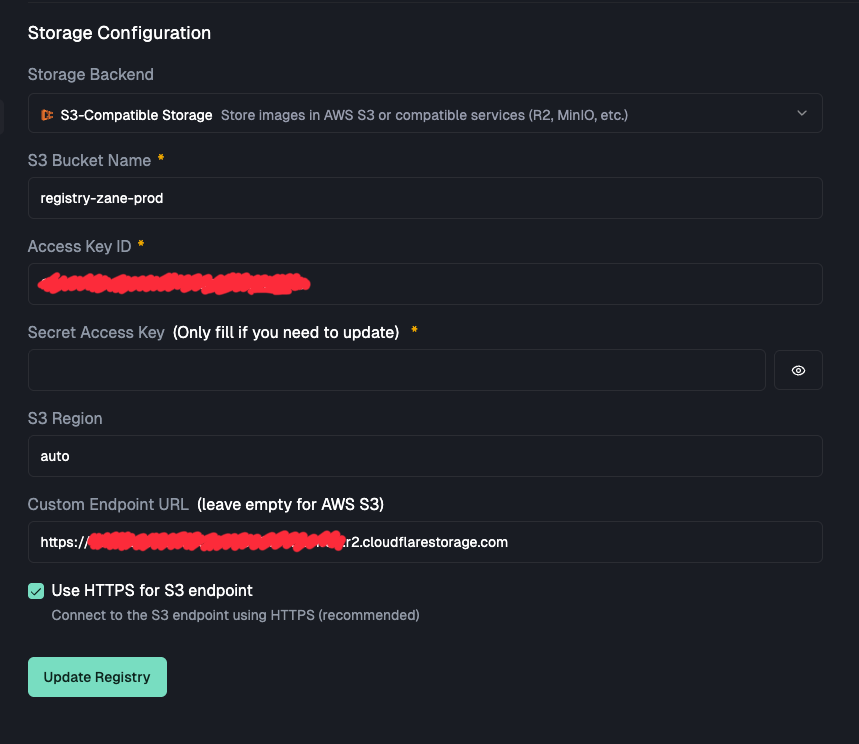
Section titled “Build registries”In preparation for multi-server support, you can now configure a build registry to store Docker images built by ZaneOps. Choose between storing images on your server’s filesystem or pushing them to an S3-compatible provider (AWS S3, MinIO, R2, etc.).
Other changes
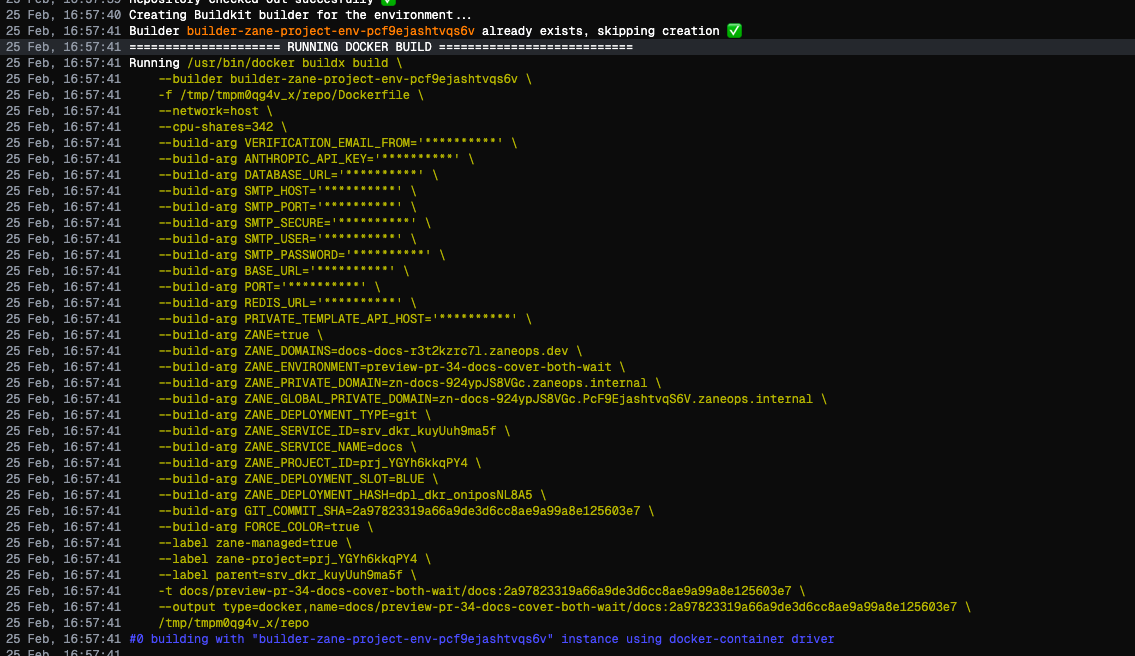
Section titled “Other changes”- Environment variables are now obfuscated in build logs and hidden by default in change fields
- Git services now receive
GIT_COMMIT_SHAas both a build arg and an environment variable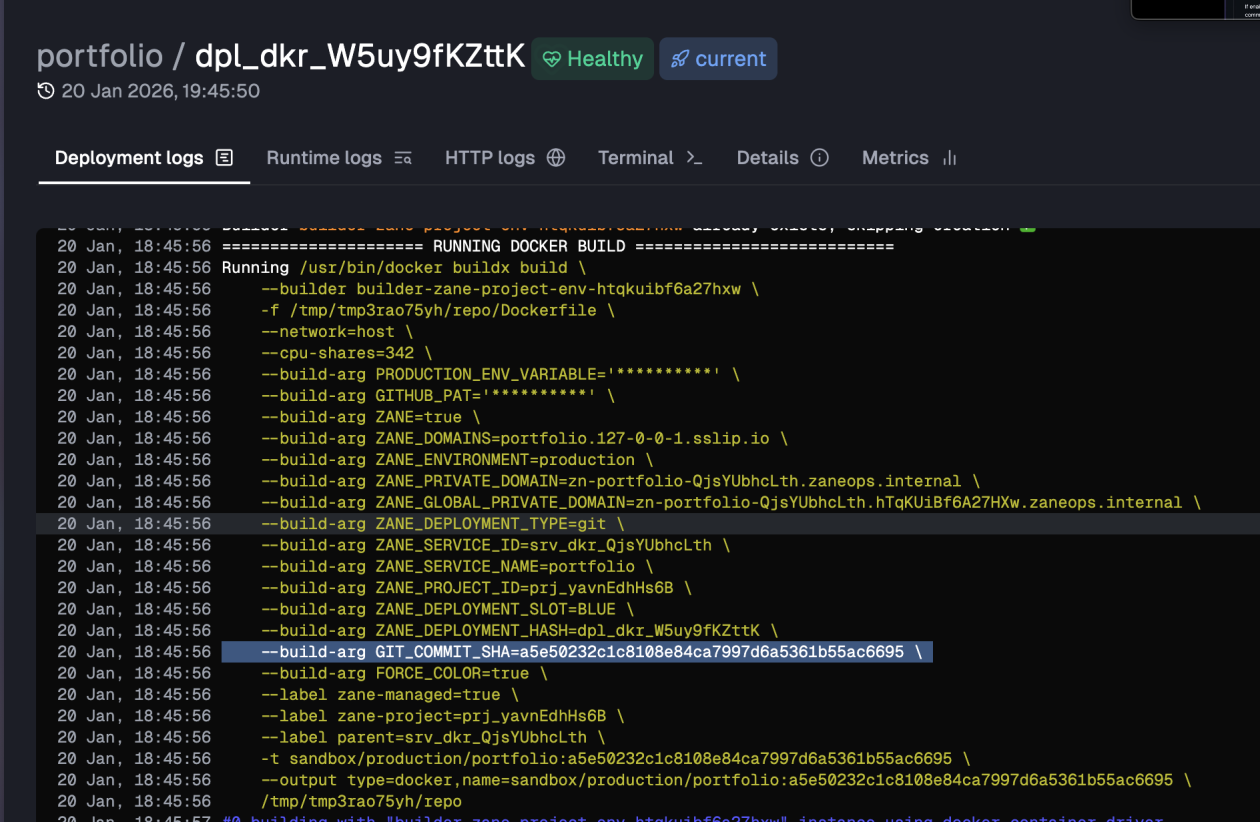
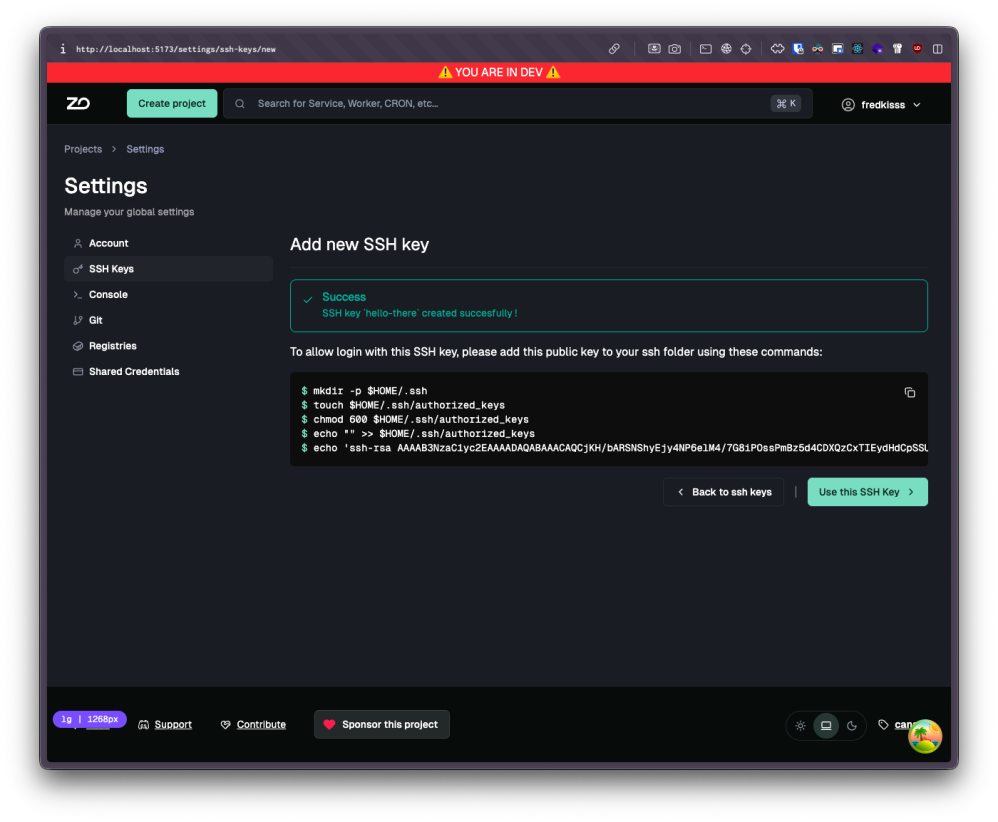
- After creating an SSH key in server settings, ZaneOps now shows the exact commands to add it to your server
- ZaneOps remembers the last SSH key used in the server terminal and automatically reconnects you on your next visit