

Templates
Introduced in v1.13.0
ZaneOps allows you to deploy Docker Compose Stacks from preexisting templates.
There are two kinds:
- Curated ZaneOps templates (Postgres, Redis, WordPress, and more)
- Dokploy templates (experimental)
ZaneOps templates
Section titled “ZaneOps templates”ZaneOps maintains a curated library of ready-to-deploy templates including Postgres, Redis, WordPress, Plausible, etc. Browse all templates ↗
How to deploy a ZaneOps template
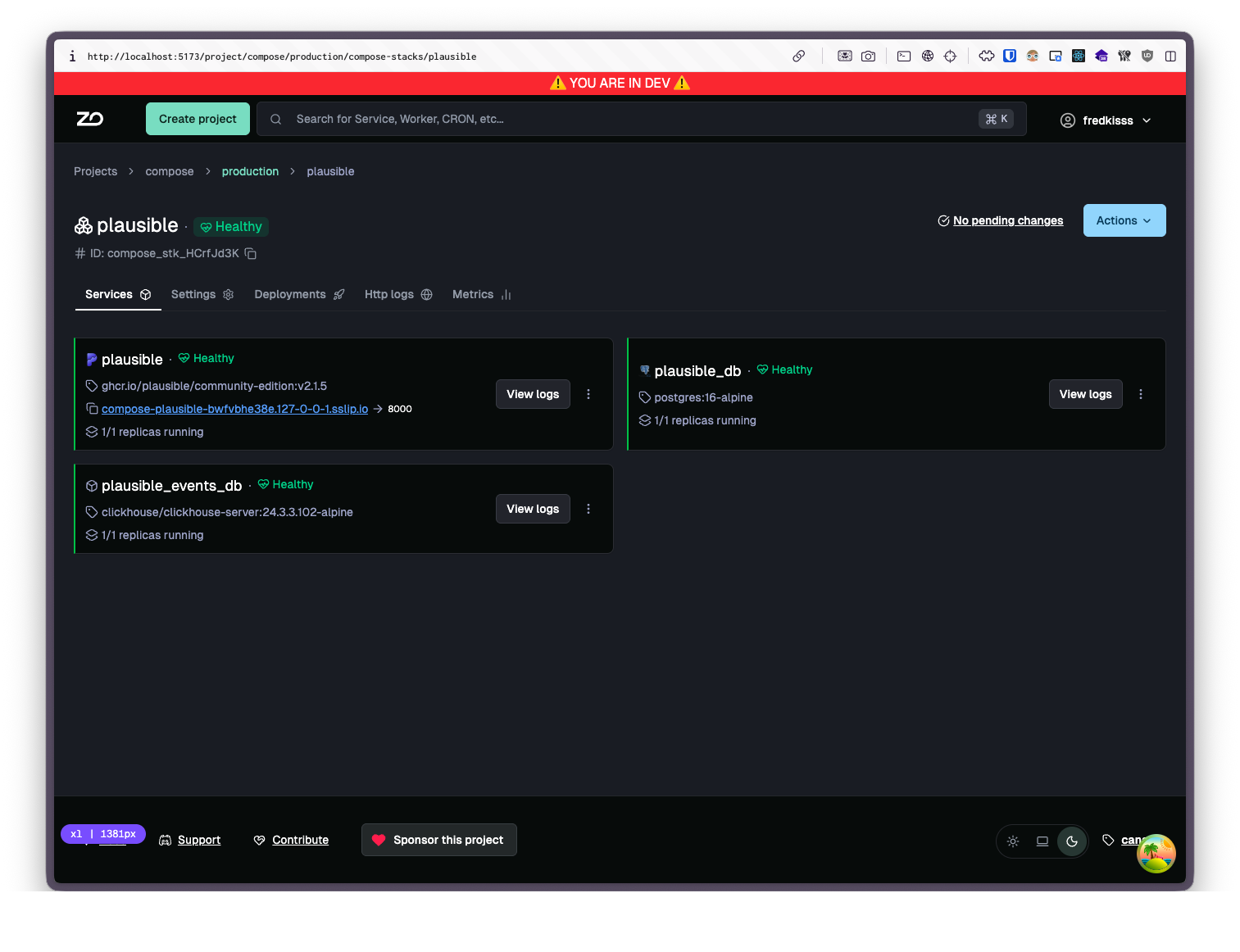
Section titled “How to deploy a ZaneOps template”- In the ZaneOps dashboard go to your project and select New > Compose Stack
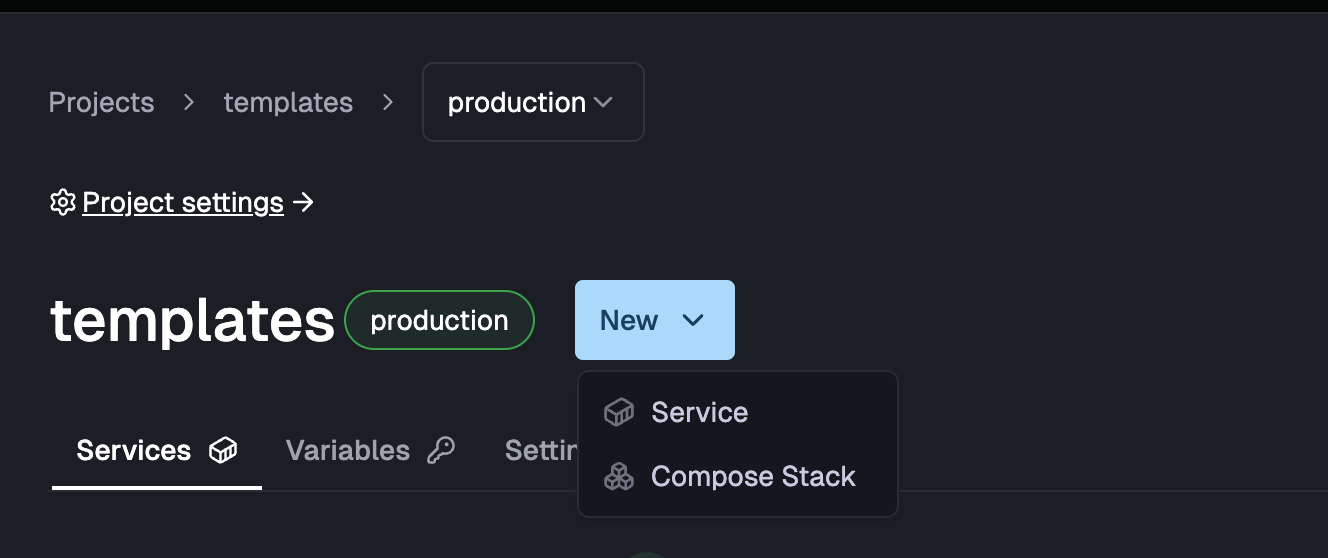
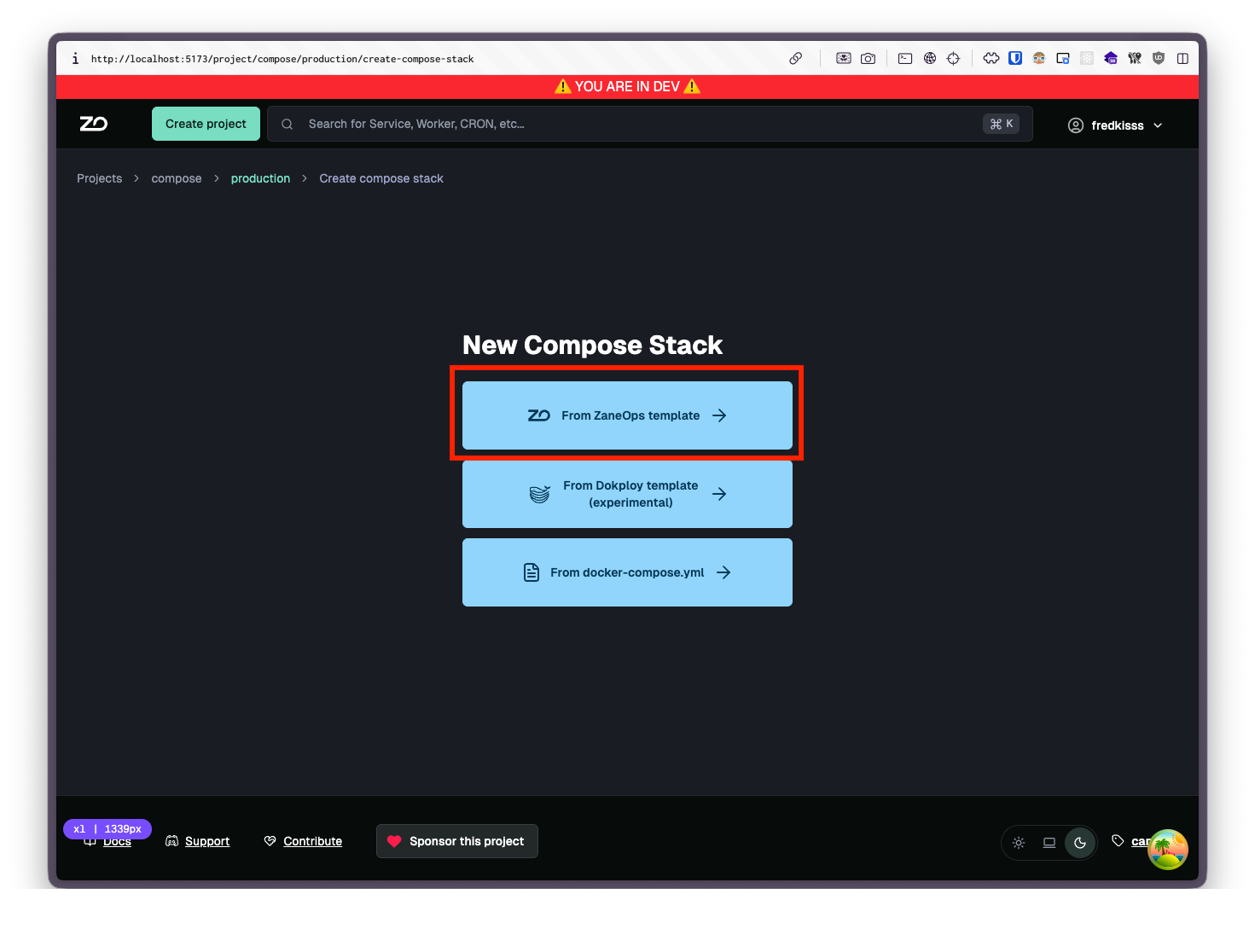
- Select from ZaneOps template
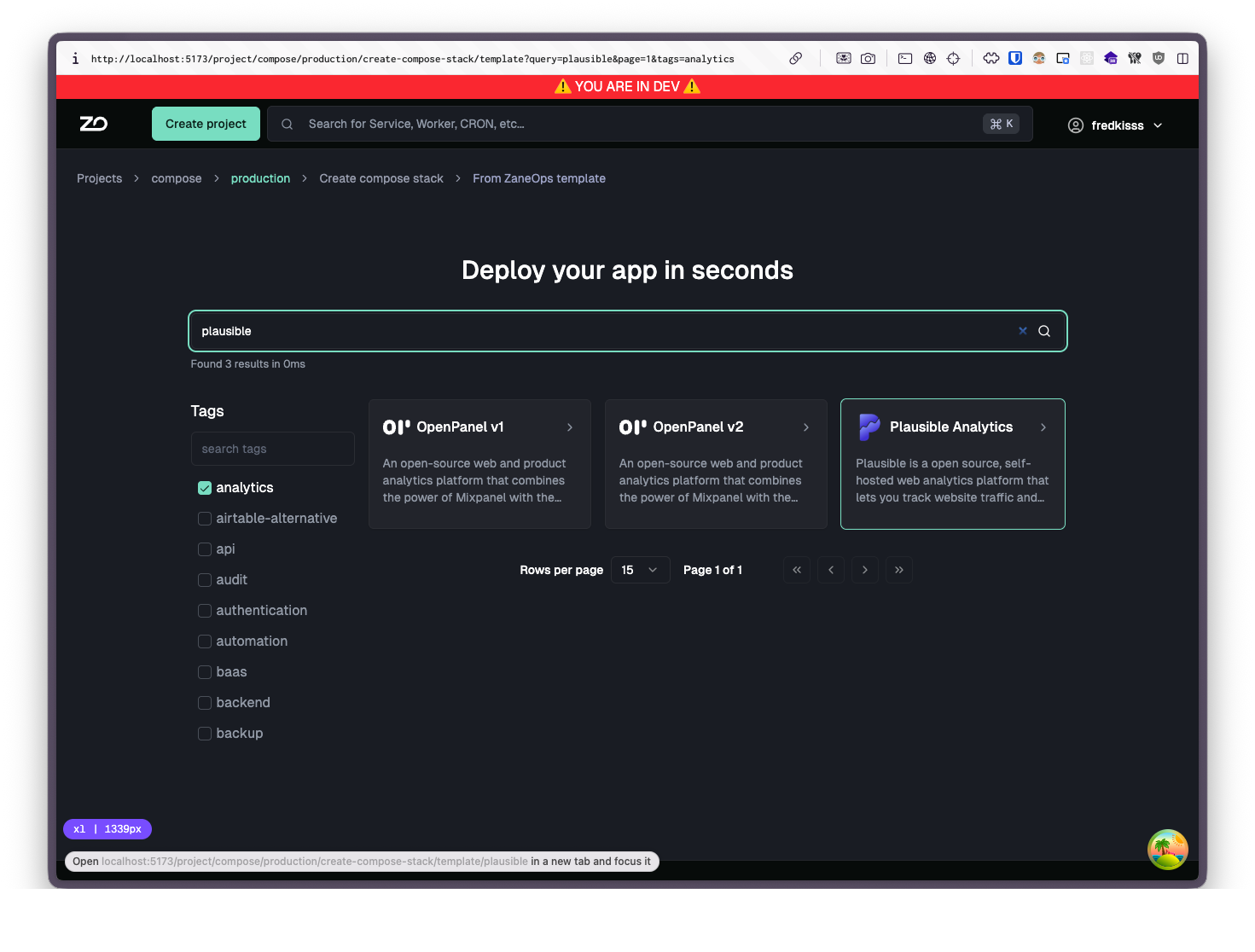
- Search and select your template
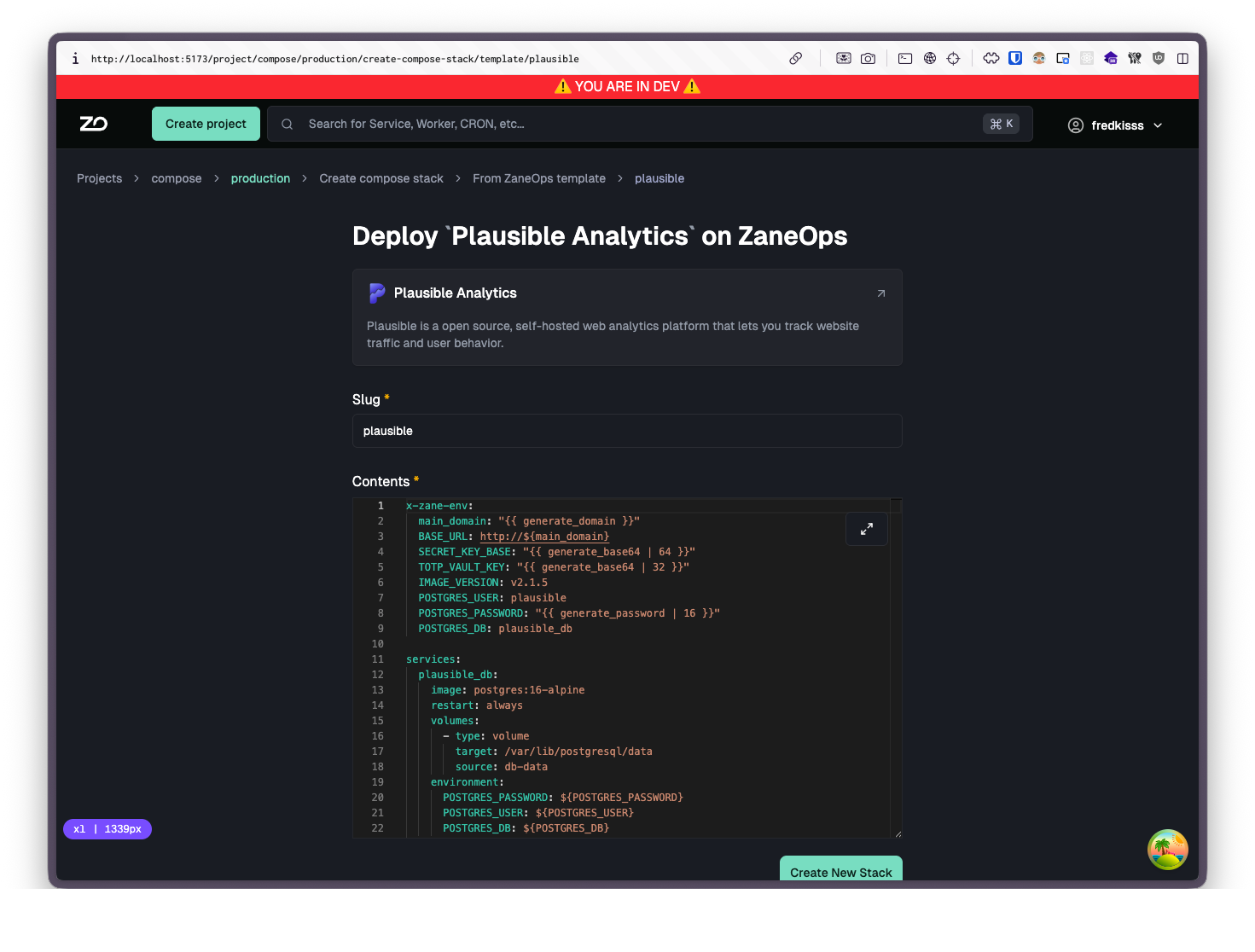
- Review or modify the compose file, then click Create and Deploy
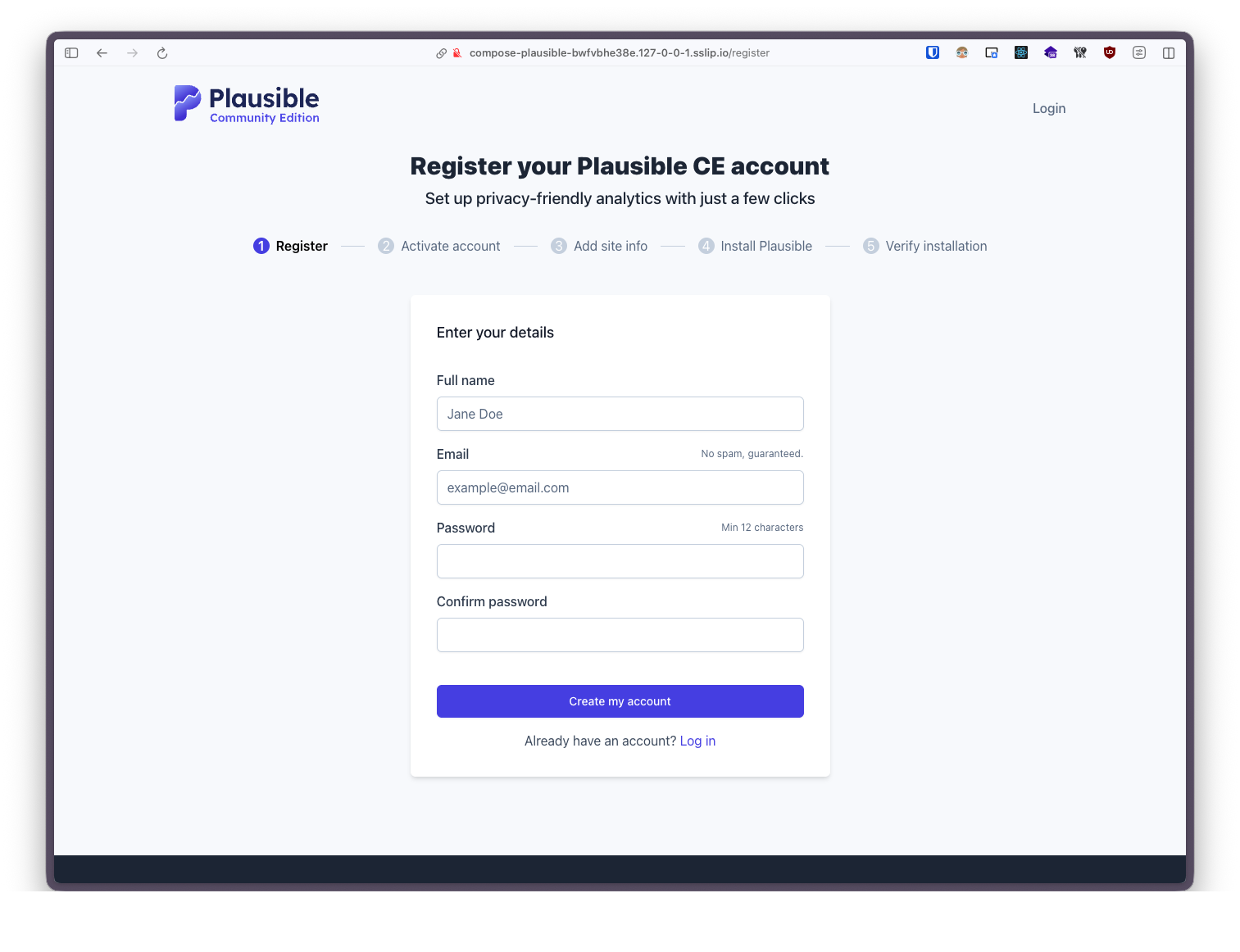
- Once deployed, explore your running services and follow any onboarding steps specific to the template
Dokploy templates (experimental)
Section titled “Dokploy templates (experimental)”ZaneOps includes an adapter to import templates from Dokploy. Dokploy templates are base64-encoded JSON containing a compose YAML and a TOML config.
How to deploy a dokploy template
Section titled “How to deploy a dokploy template”-
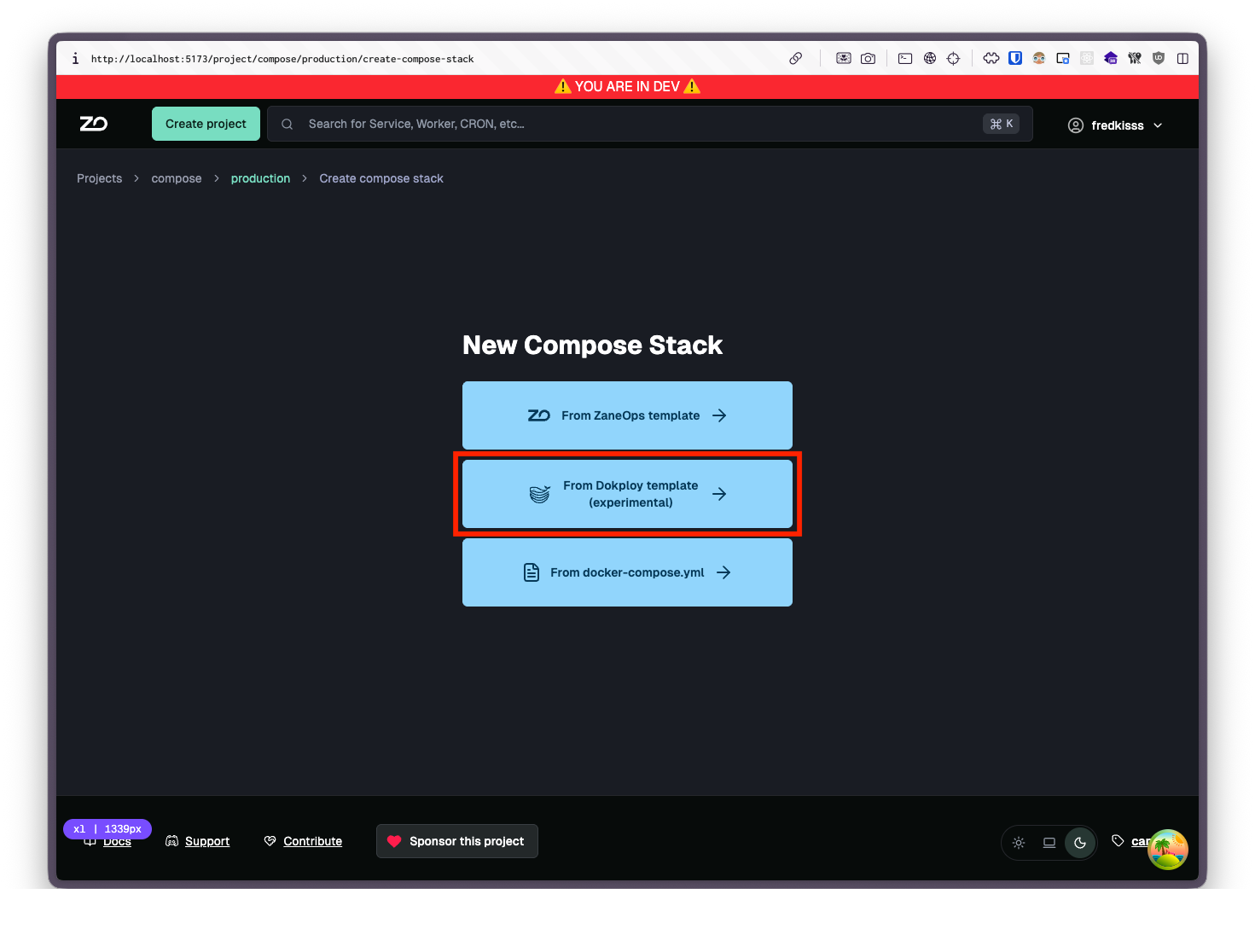
In the ZaneOps dashboard go to your project and select New > Compose Stack
-
Select from Dokploy template
-
Copy and paste your template:
You can either copy the encoded base64 configuration
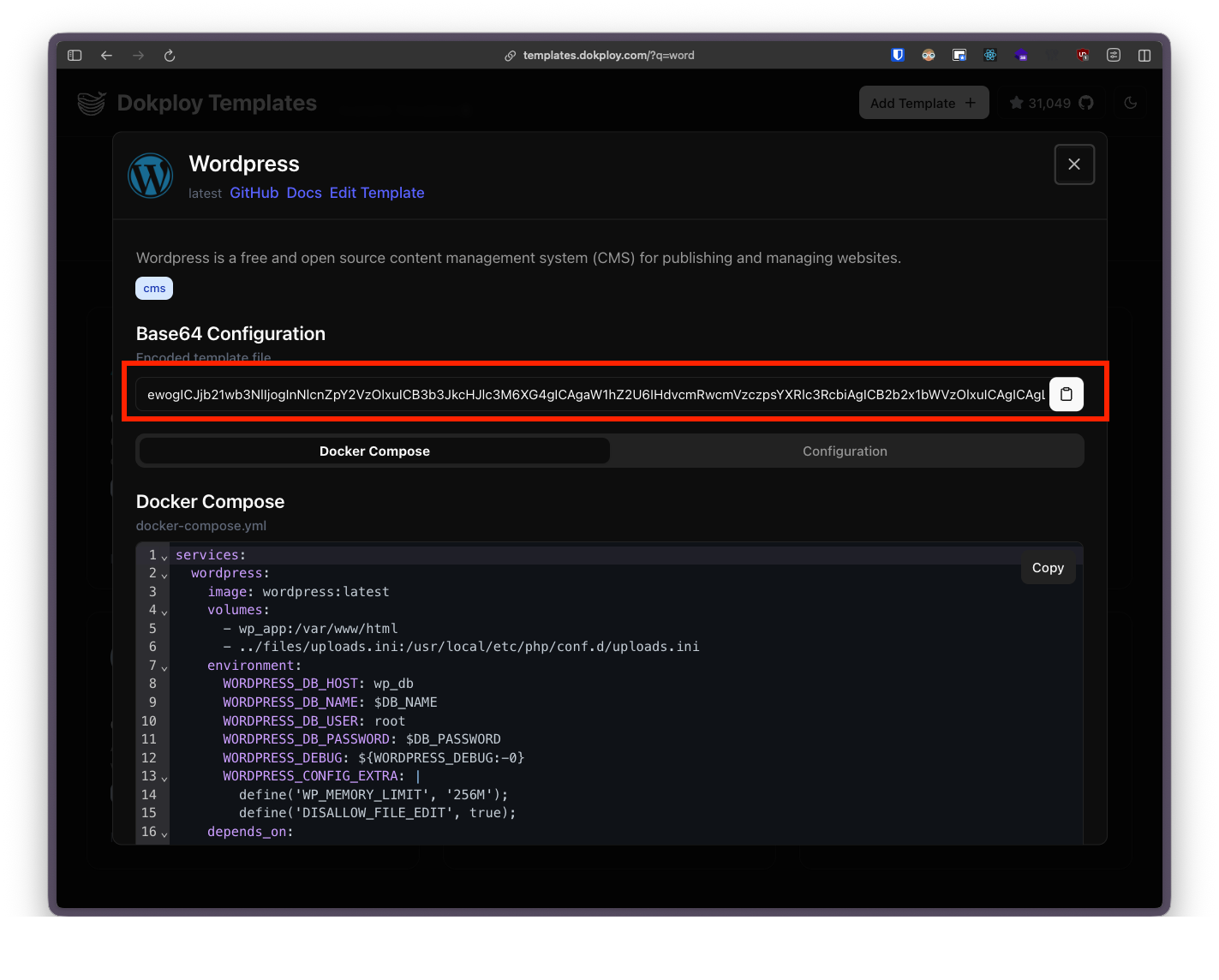
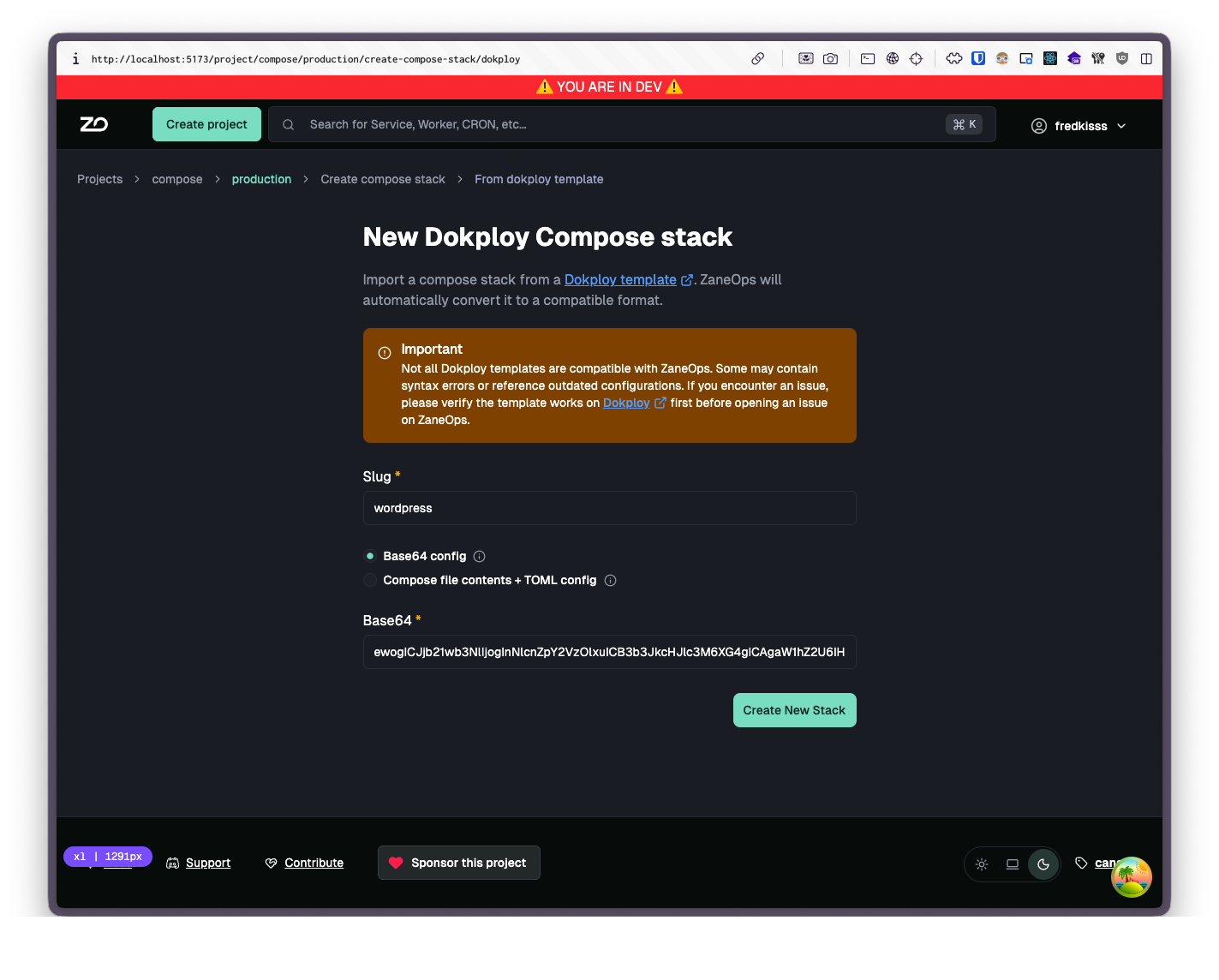 Or copy the individual compose file and config
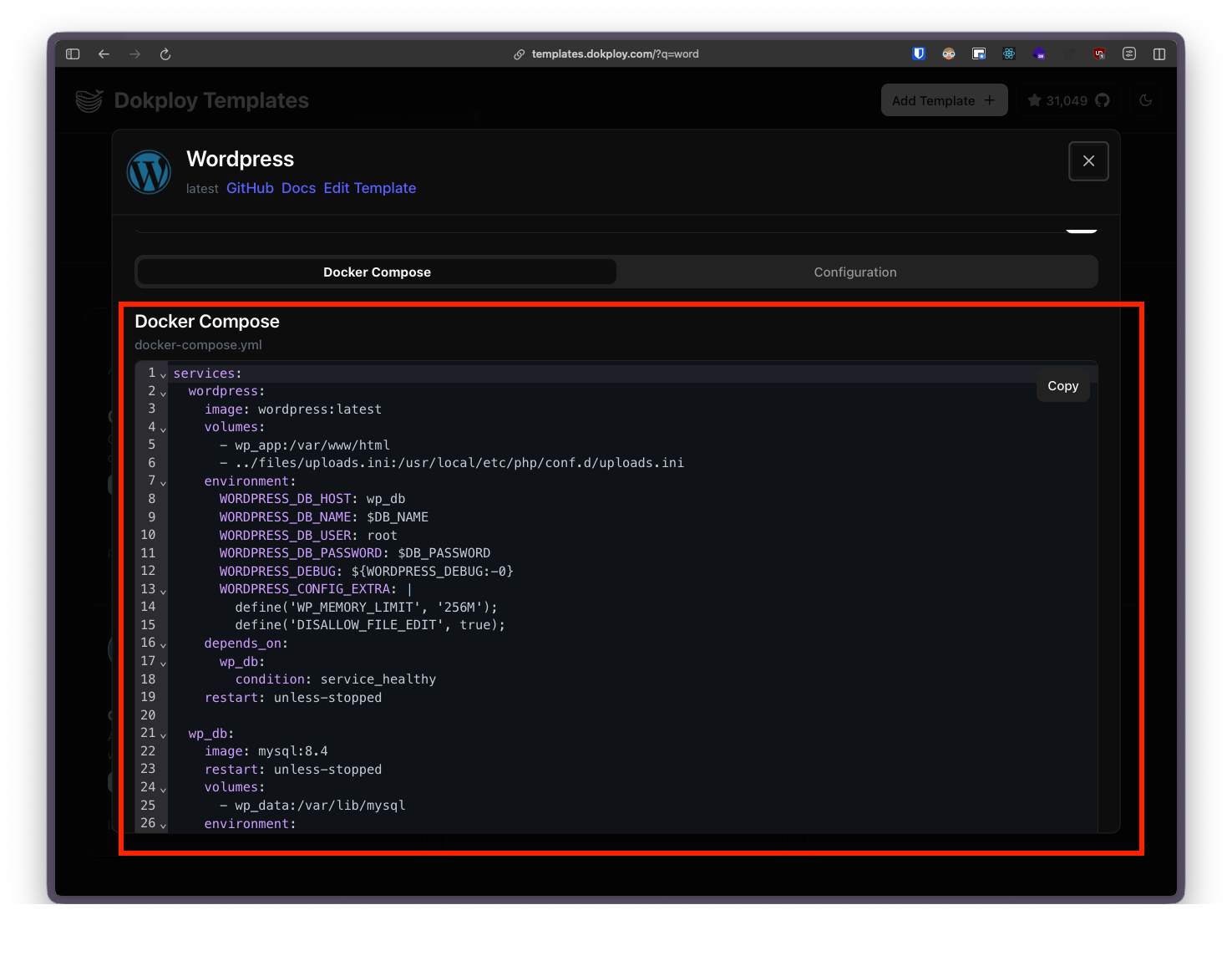
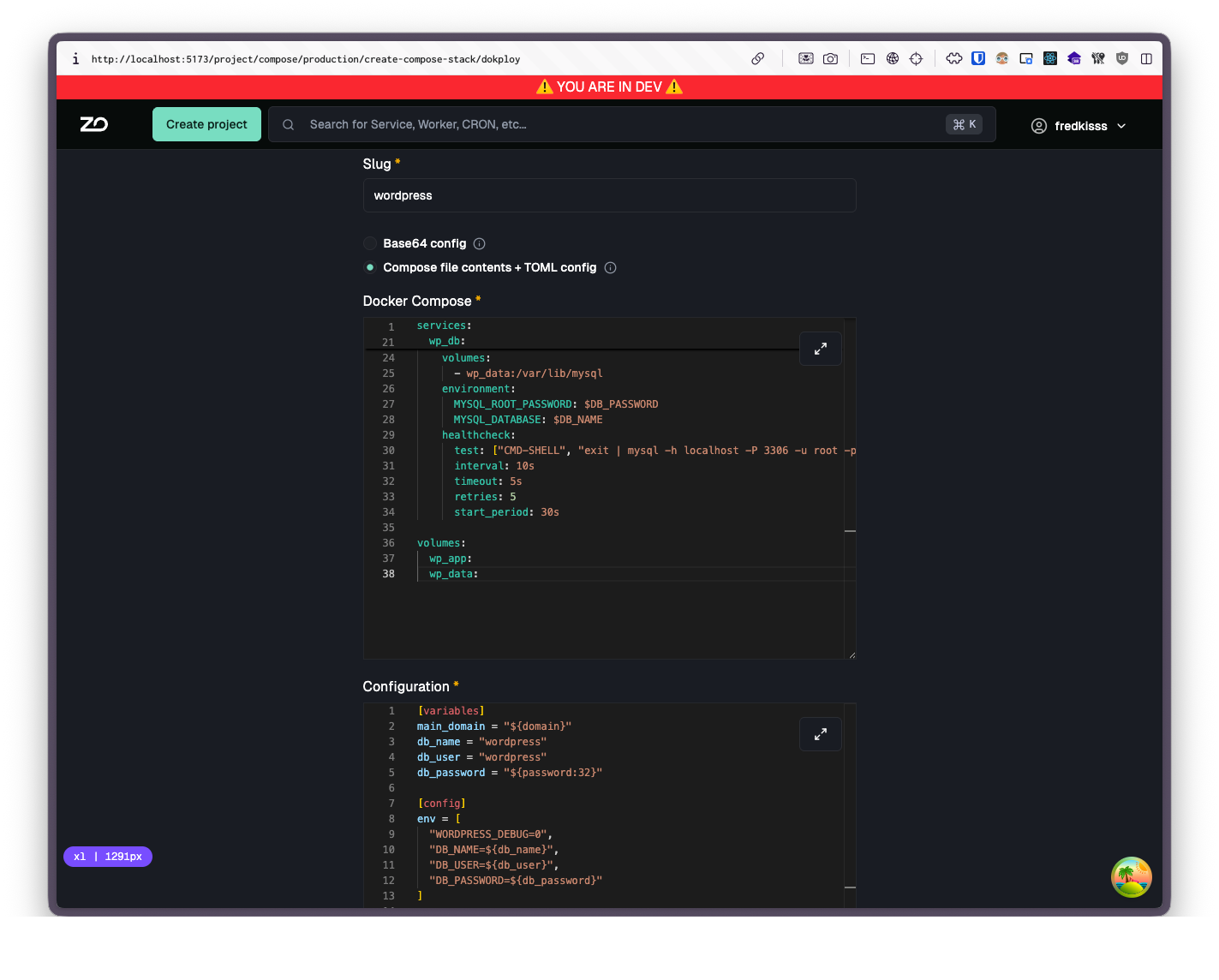
-
Click Create and Deploy
-
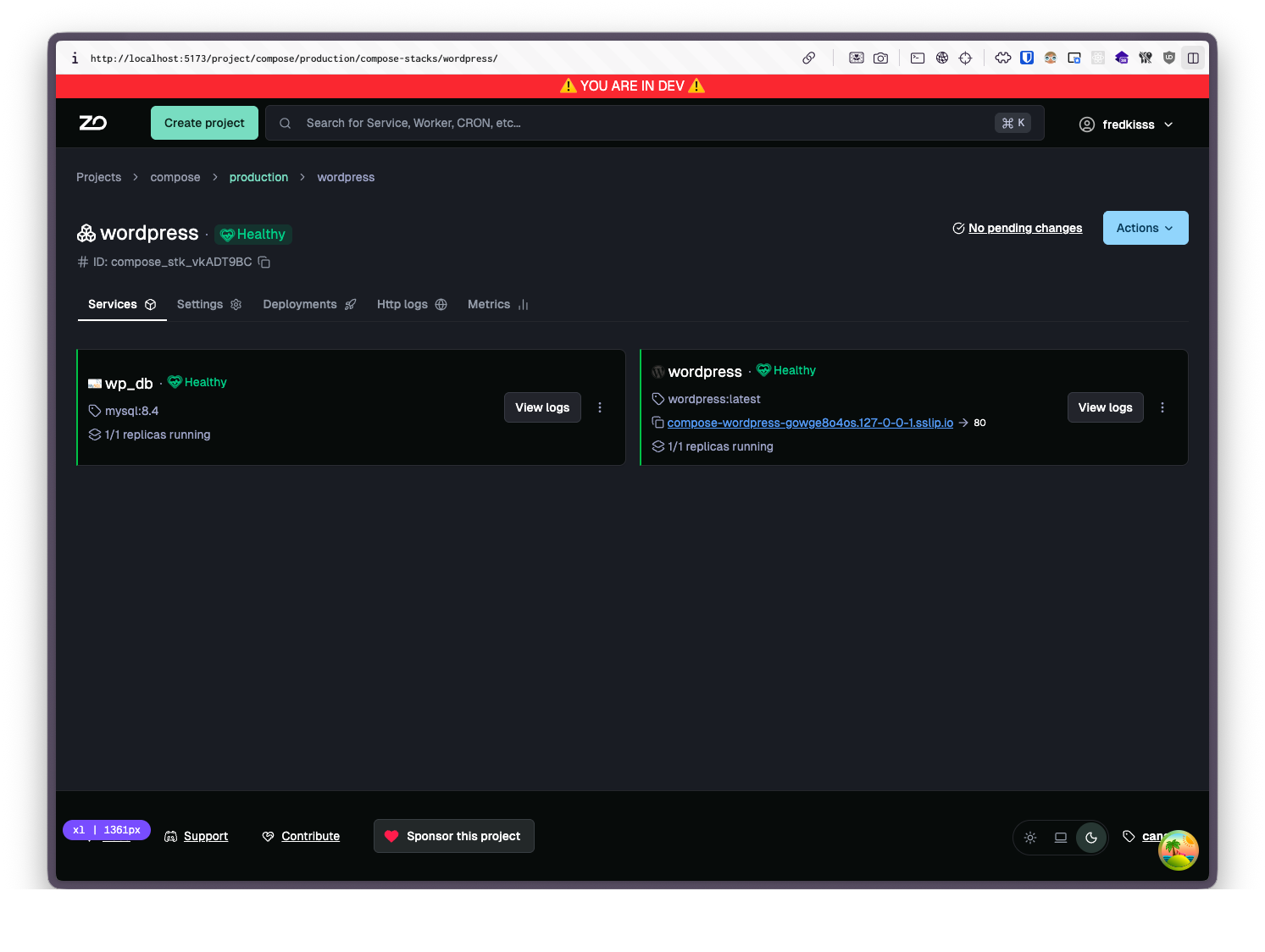
Once deployed, explore your running services and follow any onboarding steps specific to the template
Dokploy Template Migration
Section titled “Dokploy Template Migration”ZaneOps includes an adapter to import templates from Dokploy. If you have existing Dokploy templates, here’s how to migrate them.
Dokploy Template Format
Section titled “Dokploy Template Format”Dokploy templates are base64-encoded JSON containing:
- compose: Docker Compose YAML with placeholders
- config: TOML with variables, domains, env, and file mounts
Example Dokploy template structure (base64):
eyJjb21wb3NlIjogInNlcnZpY2VzOlxuICB3ZWI6XG4gICAgaW1hZ2U6IG5naW54XG4gICAgZW52aXJvbm1lbnQ6XG4gICAgICBQQVNTV09SRDogJHtQQVNTV09SRH1cbiIsICJjb25maWciOiAiW3ZhcmlhYmxlc11cbnBhc3N3b3JkID0gXCIke3Bhc3N3b3JkOjMyfVwiXG5cbltjb25maWcuZW52XVxuUEFTU1dPUkQ9JHtwYXNzd29yZH1cblxuW1tjb25maWcuZG9tYWluc11dXG5zZXJ2aWNlTmFtZSA9IFwid2ViXCJcbmhvc3QgPSBcImV4YW1wbGUuY29tXCJcbnBvcnQgPSA4MFxuIn0=Which is the base64 encoding of this JSON:
{ "compose": "services:\n web:\n image: nginx\n environment:\n PASSWORD: ${PASSWORD}\n", "config": "[variables]\npassword = \"${password:32}\"\n\n[config.env]\nPASSWORD=${password}\n\n[[config.domains]]\nserviceName = \"web\"\nhost = \"example.com\"\nport = 80\n"}Which decodes to:
services: web: image: nginx environment: PASSWORD: ${PASSWORD}[variables]password = "${password:32}"
[config.env]PASSWORD=${password}
[[config.domains]]serviceName = "web"host = "example.com"port = 80Placeholder Mapping
Section titled “Placeholder Mapping”Dokploy placeholders are automatically converted to ZaneOps template expressions:
| Dokploy Placeholder | ZaneOps Expression |
|---|---|
${domain} | {{ generate_domain }} |
${email} | {{ generate_email }} |
${username} | {{ generate_username }} |
${uuid} | {{ generate_uuid }} |
${password}, ${hash}, ${jwt} | {{ generate_password | 32 }} |
${password:N}, ${hash:N}, ${jwt:N} | {{ generate_password | N }} |
${base64} | {{ generate_base64 | 32 }} |
${base64:N} | {{ generate_base64 | N }} |
Conversion Process
Section titled “Conversion Process”- Decode: the base64 JSON is decoded into a compose YAML and a TOML config (or used as-is if provided separately)
- Placeholder substitution: Dokploy placeholders (e.g.
${domain},${password:32}) are replaced with their equivalent ZaneOps template expressions (see Placeholder mapping below) - Process variables: Extract
[variables]and[[config.env]]section intox-zane-env - Domain conversion: each
[[config.domains]]entry in the TOML config is converted to ZaneOps routing labels on the matching service - Mount conversion: each
[[config.mounts]]entry is converted to an inline Docker config. If no matching mount is found for a../files/volume path, the path is converted to a named volume instead - Clean up: Remove
ports,expose,restart - Standard processing: the resulting compose file goes through the same pipeline as any other ZaneOps compose file: template expressions are evaluated, service names are hashed, networks are injected, and the stack is deployed
Example Migration
Section titled “Example Migration”Dokploy template content:
services: web: image: nginx:alpine ports: - "8080:80" environment: DB_PASSWORD: ${DB_PASSWORD} ADMIN_EMAIL: ${ADMIN_EMAIL} volumes: - ../files/nginx.conf:/etc/nginx/nginx.conf[variables]main_domain = "${domain}"db_password = "${password:32}"admin_email = "${email}"
[[config.domains]]serviceName = "web"host = "${main_domain}"port = 8080
[[config.env]]DB_PASSWORD = "${db_password}"ADMIN_EMAIL = "${admin_email}"
[[config.mounts]]filePath = "nginx.conf"content = """server { listen 80;}"""Resulting ZaneOps compose.yaml:
x-zane-env:  main_domain: "{{ generate_domain }}"  db_password: "{{ generate_password | 32 }}"  admin_email: "{{ generate_email }}"  DB_PASSWORD: ${db_password}  ADMIN_EMAIL: ${admin_email}
services:  web:    image: nginx:alpine    environment:      DB_PASSWORD: ${DB_PASSWORD}      ADMIN_EMAIL: ${ADMIN_EMAIL}    configs:      - source: nginx.conf        target: /etc/nginx/nginx.conf    deploy:      labels:        zane.http.routes.0.domain: "${main_domain}"        zane.http.routes.0.port: "8080"        zane.http.routes.0.base_path: "/"        zane.http.routes.0.strip_prefix: "false"
configs:  nginx.conf:    content: |      server {        listen 80;      }
Mount Processing
Section titled “Mount Processing”Dokploy uses ../files/ prefix for file mounts. The adapter converts these to Docker configs.
Case 1: Directory mount
Dokploy:
# ... rest of the filevolumes: - ../files/clickhouse_config:/etc/clickhouse-server/config.d[[config.mounts]]filePath = "clickhouse_config/logging_rules.xml"content = "..."
[[config.mounts]]filePath = "clickhouse_config/network.xml"content = "..."ZaneOps result:
# ... rest of the fileconfigs:  - source: logging_rules.xml    target: /etc/clickhouse-server/config.d/logging_rules.xml  - source: network.xml    target: /etc/clickhouse-server/config.d/network.xml
configs:  logging_rules.xml:    content: "..."  network.xml:    content: "..."
Case 2: File mount
Dokploy:
# ... rest of the filevolumes: - ../files/nginx.conf:/etc/nginx/nginx.conf:ro[[config.mounts]]filePath = "nginx.conf"content = "..."ZaneOps result:
# ... rest of the fileconfigs:  - source: nginx.conf    target: /etc/nginx/nginx.conf
configs:  nginx.conf:    content: "..."
Case 3: Non-existent path (becomes volume)
Dokploy:
# ... rest of the filevolumes: - ../files/data:/app/dataIf no matching mount exists → converted to named volume:
# ... rest of the filevolumes:  - data:/app/data
volumes:  data:
Ports processing
Section titled “Ports processing”ports entries are removed and replaced with ZaneOps routing labels derived from the [[config.domains]] entries in the TOML config.
Dokploy:
services: web: image: nginx:alpine ports: - "8080:80"[variables]main_domain = ${domain}
[[config.domains]]serviceName = "web"host = "${main_domain}"port = 8080ZaneOps result:
x-zane-env:  main_domain: '{{ generate_domain }}'
services:  web:    image: nginx:alpine    deploy:      labels:        zane.http.routes.0.domain: "${main_domain}"        zane.http.routes.0.port: "8080"
depends_on
Section titled “depends_on”The dict form of depends_on is converted to a plain list, since Docker Swarm only supports the list form. All condition values are dropped.
Dokploy:
depends_on: rybbit_clickhouse: condition: service_healthy rybbit_postgres: condition: service_startedZaneOps result:
depends_on: - rybbit_clickhouse - rybbit_postgresSelf-referencing variables in config.env
Section titled “Self-referencing variables in config.env”If a config.env entry references itself (e.g. KEY = "${KEY}"), the adapter ignores it and keeps the original template expression from [variables] instead. Cross-references and new values are kept as-is.
Dokploy:
[variables]KENER_SECRET_KEY = "${password:64}"DB_PASSWORD = "${password:32}"MYSQL_PASSWORD = "${password:32}"
[config.env]KENER_SECRET_KEY = "${KENER_SECRET_KEY}"  # self-reference — ignoredMYSQL_PASSWORD = "${MYSQL_PASSWORD}"       # self-reference — ignoredPOSTGRES_PASSWORD = "${DB_PASSWORD}"       # cross-reference — keptTZ = "Etc/UTC"                             # new value — added
ZaneOps result:
x-zane-env: KENER_SECRET_KEY: "{{ generate_password | 64 }}" DB_PASSWORD: "{{ generate_password | 32 }}" MYSQL_PASSWORD: "{{ generate_password | 32 }}" POSTGRES_PASSWORD: "${DB_PASSWORD}" TZ: "Etc/UTC"Static variables in config.variables
Section titled “Static variables in config.variables”Variables without Dokploy placeholders in [variables] are kept as literal values.
Dokploy:
[variables]pg_user = "authentik"pg_db = "authentik"
[config.env]PG_USER = "${pg_user}"PG_DB = "${pg_db}"PG_PASS = "${password:32}"
ZaneOps result:
x-zane-env: pg_user: "authentik" pg_db: "authentik" PG_USER: "${pg_user}" PG_DB: "${pg_db}" PG_PASS: "{{ generate_password | 32 }}"Empty environment variable entries
Section titled “Empty environment variable entries”Environment entries without a value (list-style passthrough) are replaced with ${KEY} if that key exists in x-zane-env. Entries with no matching key are dropped.
Dokploy:
services: docmost: environment: - APP_URL # resolved from config.env - APP_SECRET # resolved from config.env - APP_WHATEVER # not in config.env — dropped - DATABASE_URL=postgresql://... # has value — kept as-is[config.env]APP_URL = "http://${main_domain}:3000"APP_SECRET = "${app_secret}"ZaneOps result:
x-zane-env:  APP_URL: "http://${main_domain}:3000"  APP_SECRET: "${app_secret}"
services:  docmost:    environment:      APP_URL: "${APP_URL}"      APP_SECRET: "${APP_SECRET}"      DATABASE_URL: "postgresql://..."
Variable references without curly braces
Section titled “Variable references without curly braces”$VAR (no braces) is normalized to ${VAR}. $$VAR (shell escape) is preserved unchanged.
Dokploy:
services: wordpress: environment: WORDPRESS_DB_NAME: $DB_NAME WORDPRESS_DEBUG: ${WORDPRESS_DEBUG:-0} wp_db: healthcheck: test: ["CMD-SHELL", "exit | mysql -u root -p$$MYSQL_ROOT_PASSWORD"]ZaneOps result:
services: wordpress: environment: WORDPRESS_DB_NAME: "${DB_NAME}" WORDPRESS_DEBUG: "${WORDPRESS_DEBUG:-0}" wp_db: healthcheck: test: ["CMD-SHELL", "exit | mysql -u root -p$$MYSQL_ROOT_PASSWORD"]env_file replacement
Section titled “env_file replacement”env_file references are removed and replaced with inline environment entries from config.env.
Dokploy:
services: plausible: image: ghcr.io/plausible/community-edition:v2.1.5 env_file: - .env[config.env]BASE_URL = "http://${main_domain}"SECRET_KEY_BASE = "${secret_base}"TOTP_VAULT_KEY = "${totp_key}"ZaneOps result:
x-zane-env:  main_domain: "{{ generate_domain }}"  secret_base: "{{ generate_password | 64 }}"  totp_key: "{{ generate_password | 32 }}"
services:  plausible:    image: ghcr.io/plausible/community-edition:v2.1.5    environment:      BASE_URL: "http://${main_domain}"      SECRET_KEY_BASE: "${secret_base}"      TOTP_VAULT_KEY: "${totp_key}"