GitHub apps
Introduced in v1.11.0
To connect your GitHub account to ZaneOps, you use GitHub apps.
How to create a GitHub app
Section titled “How to create a GitHub app”-
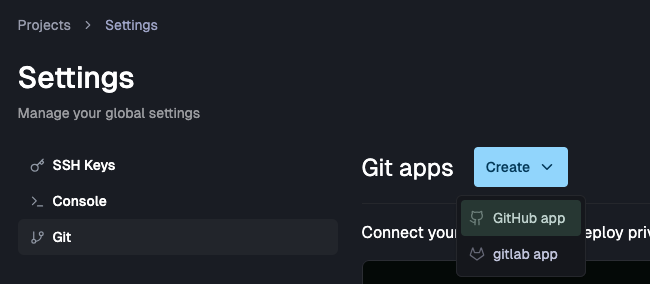
Go to Settings > Git:
-
Choose Create GitHub app:

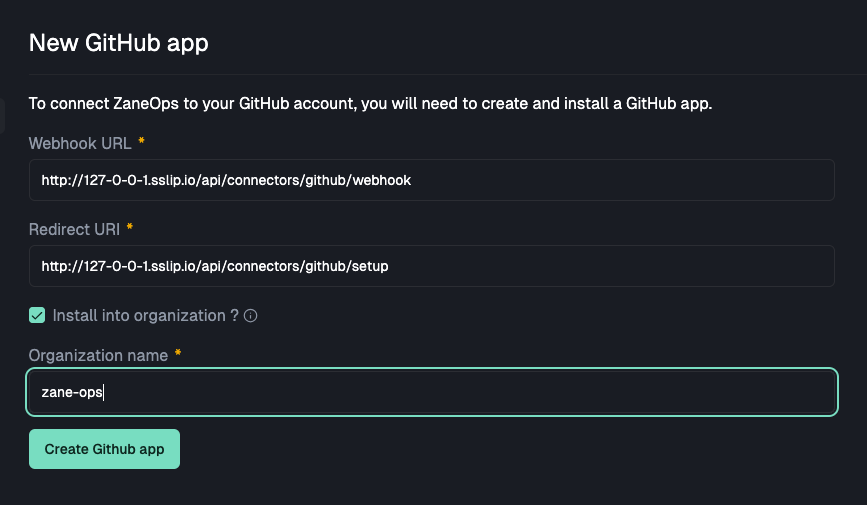
If you want to deploy repos from your organization, you can check Install into organization ? and fill in the organization name:
-
Once you submit the form, you will be redirected to GitHub where you will need to give the app a name:

-
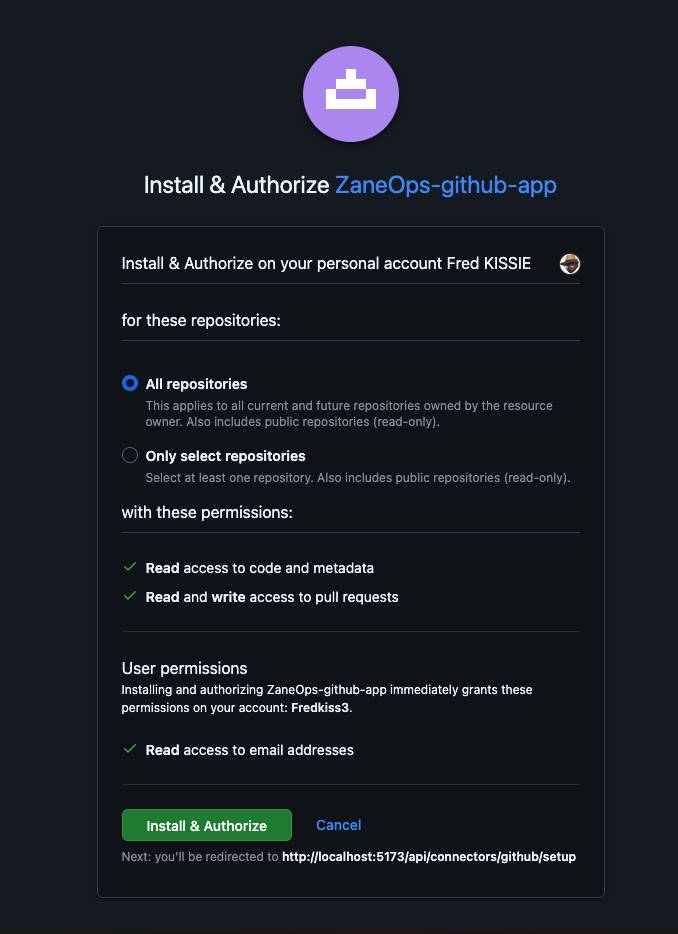
After submitting, you will be redirected back to ZaneOps where you will see the newly created app. You will need to install the application on GitHub to get access to the repositories you want to deploy on ZaneOps:

-
Once the application is installed, you can test the application installation to make sure it has access to your repositories:
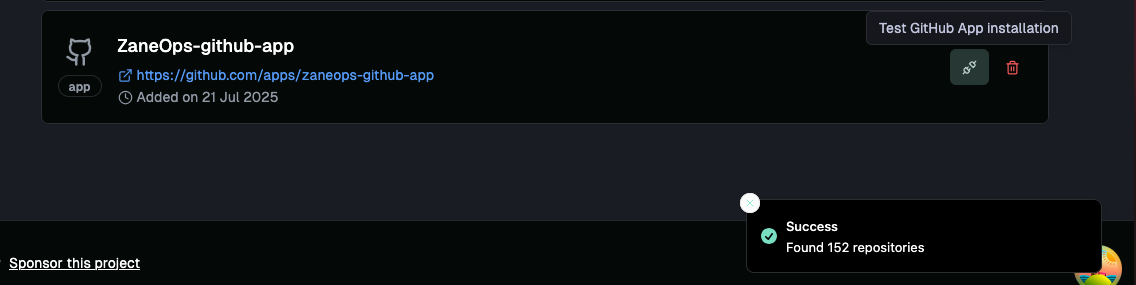
How to deploy a service from a GitHub app
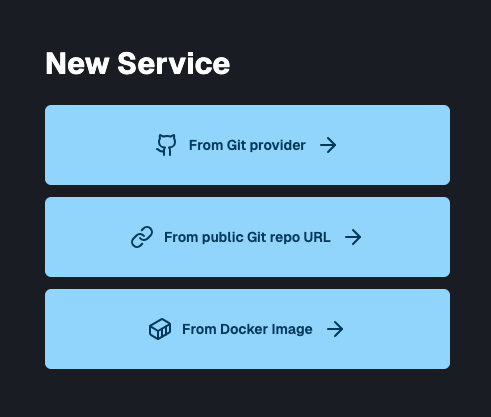
Section titled “How to deploy a service from a GitHub app”- Go to your project > new service and choose Create from Git Provider:
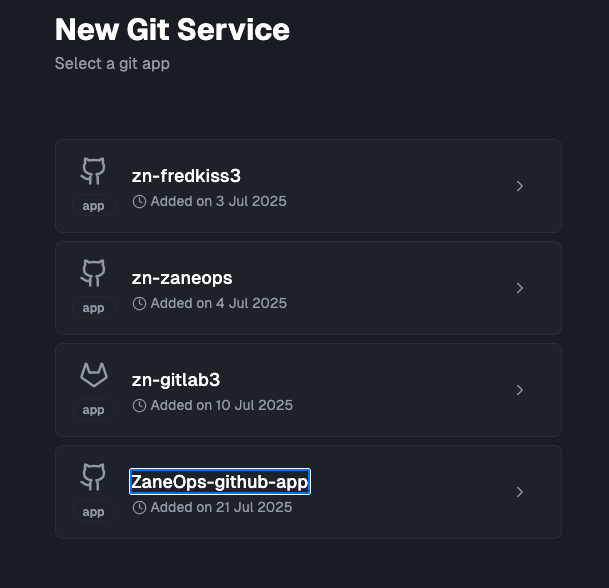
- Choose the newly created Github app in the list of available apps:
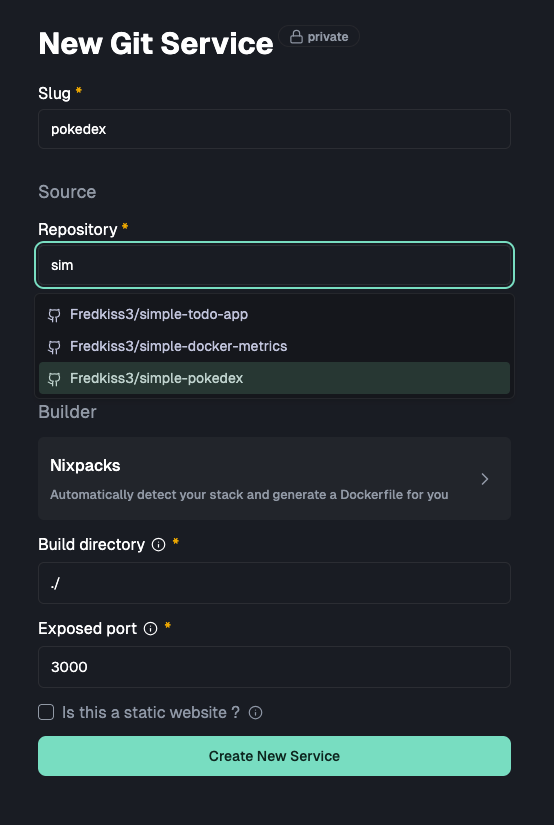
- There you can select the repository you want to deploy:
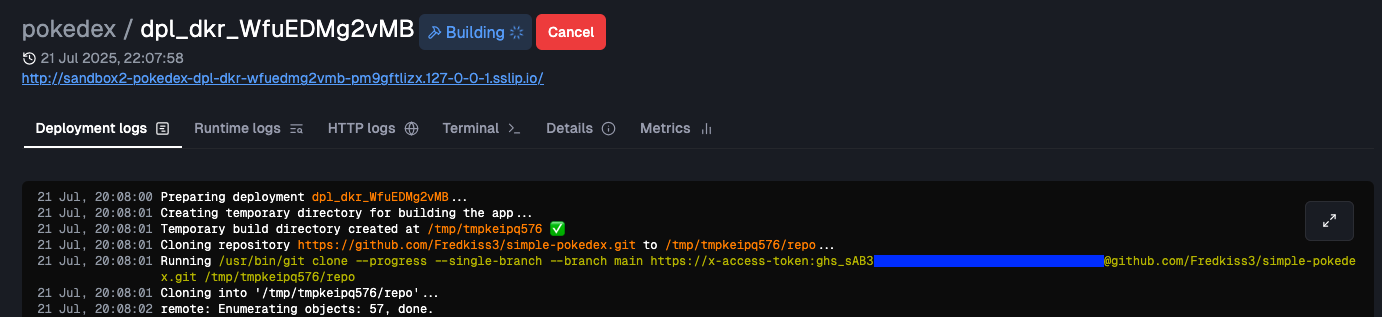
- Once deployed, you will notice in the logs, that your app is cloned using github access token, meaning that it worked !